
Xtream IPTV Player is a versatile, free-to-use media player application designed for Android devices, smart TVs, and Amazon Firesticks. It functions strictly as a client application and does not provide any built-in media, live channels, or VODs. To use the app, users must possess an active subscription from a third-party IPTV service and log in using either their Xtream Codes API credentials (Username, Password, and Server URL) or an M3U playlist link.
Key Takeaways
- No Native Content: Xtream IPTV is an empty media player; you must provide your own IPTV subscription details to stream content.
- API Optimization: The application is heavily optimized for the Xtream Codes API, allowing for lightning-fast loading of massive VOD libraries and live TV lists compared to standard M3U files.
- Device Support: Best suited for the Android ecosystem, including Android TV boxes, smartphones, and sideloading on Amazon Fire OS.
- Cost: The core application is entirely free to download and use, though some versions contain in-app advertisements.
- User Interface: Features a clean, categorized dashboard that separates Live TV, Movies, and Series for easy navigation.
Introduction to Xtream IPTV Player in 2026
As cord-cutting continues to dominate home entertainment in 2026, the demand for fast, reliable, and user-friendly streaming software has never been higher. While premium, paid apps have their place, many users are looking for robust, free alternatives to manage their streaming libraries. Xtream IPTV Player has established itself as a massive favorite within the Android and Firestick communities.
The name “Xtream” is heavily associated with the backend software used by many IPTV providers (the Xtream Codes panel), and this application was built specifically to interface flawlessly with that system. It is critical to understand that Xtream IPTV Player does not sell, host, or broadcast any content. It is simply a tool to organize and play the media you already have access to. If you are starting from scratch and need a reliable provider to plug into this app, we highly recommend reading our guide on Choosing the Best IPTV Service in the UK (2026).
In this guide, we will dive deep into the features of Xtream IPTV Player, explain the technical advantages of using its native API login, and provide a full walkthrough on how to install and configure it for your home entertainment system.
Key Features That Make Xtream IPTV Stand Out
In a crowded market filled with titans like IPTV Smarters Pro and premium alternatives like SmartOne IPTV, a free player must perform exceptionally well to retain its user base. Xtream IPTV Player delivers on several fronts:
- Xtream Codes API Integration: This is the app’s biggest selling point. Instead of handling a massive, clunky M3U text file, users simply enter a Server URL, Username, and Password. The app communicates directly with the provider’s server, allowing it to instantly update channel lists, pull down fresh VOD (Video on Demand) posters, and load EPG data without crashing.
- Sleek, Organized Dashboard: Upon logging in, users are greeted with a clean, grid-based dashboard categorizing content into Live TV, Movies, and Series. It is highly intuitive and easy to navigate with a standard television remote.
- Integrated EPG (Electronic Program Guide): The app seamlessly parses XMLTV data, providing a beautiful, timeline-based TV guide. You can see what is playing right now and scroll ahead to view upcoming broadcasts.
- Parental Controls: A built-in security feature allows you to lock specific categories, channels, or VOD folders behind a custom PIN code, ensuring your children cannot access inappropriate content.
- Internal Video Player: The default media player handles heavy 4K and Full-HD streams beautifully, supporting multiple audio tracks and embedded subtitles. If you encounter buffering, it is rarely the app’s fault; learn how to troubleshoot your network with our article: The Real Reason Your IPTV Buffers During Live Sports (And How to Fix It).
- Catch-Up TV: For providers that support it, Xtream IPTV Player allows you to access the Catch-Up archive directly from the TV guide, letting you rewind and watch live broadcasts from the previous few days.
Pricing and Availability
One of the main reasons for the massive popularity of Xtream IPTV Player is its accessibility.
The application is 100% free to download and use. There are no mandatory 7-day trials, no lifetime activation fees, and no recurring subscriptions for the software itself.
It is worth noting that because it is a free app, you may encounter occasional banner advertisements or pop-ups when navigating between menus. However, these ads never interrupt active video playback. Some variations of the app found on the Google Play Store offer a small, one-time in-app purchase (usually under $5) to permanently remove these advertisements.
How to Install Xtream IPTV Player
Xtream IPTV Player is primarily designed for Android-based operating systems. Here is how to get it running on your devices.
1. Installing on Android TV, TV Boxes, and Smartphones
Because the app does not contain pirated content, it is fully compliant with store policies and incredibly easy to install on standard Android devices.
- Open the Google Play Store on your Android TV, Nvidia Shield, or smartphone.
- Click the search bar and type “Xtream IPTV Player”.
- Look for the official app (typically featuring a sleek, dark logo) and select Install.
- Once downloaded, click Open to launch the application.
2. Installing on Amazon Firestick (Sideloading)
Amazon’s Appstore frequently removes IPTV players, so the most reliable way to install it on a Firestick or Fire TV Cube is via sideloading.
- Navigate to your Firestick Settings > My Fire TV > Developer Options.
- Turn on Install Unknown Apps for the Downloader application. (If you don’t have Downloader, grab it from the Amazon Appstore first).
- Open the Downloader app and click the URL address bar.
- Enter the official APK link or a trusted shortcode for the Xtream IPTV Player APK.
- Click Go. The file will download automatically.
- When prompted, click Install, and then Open the app.
How to Set Up Your IPTV Subscription
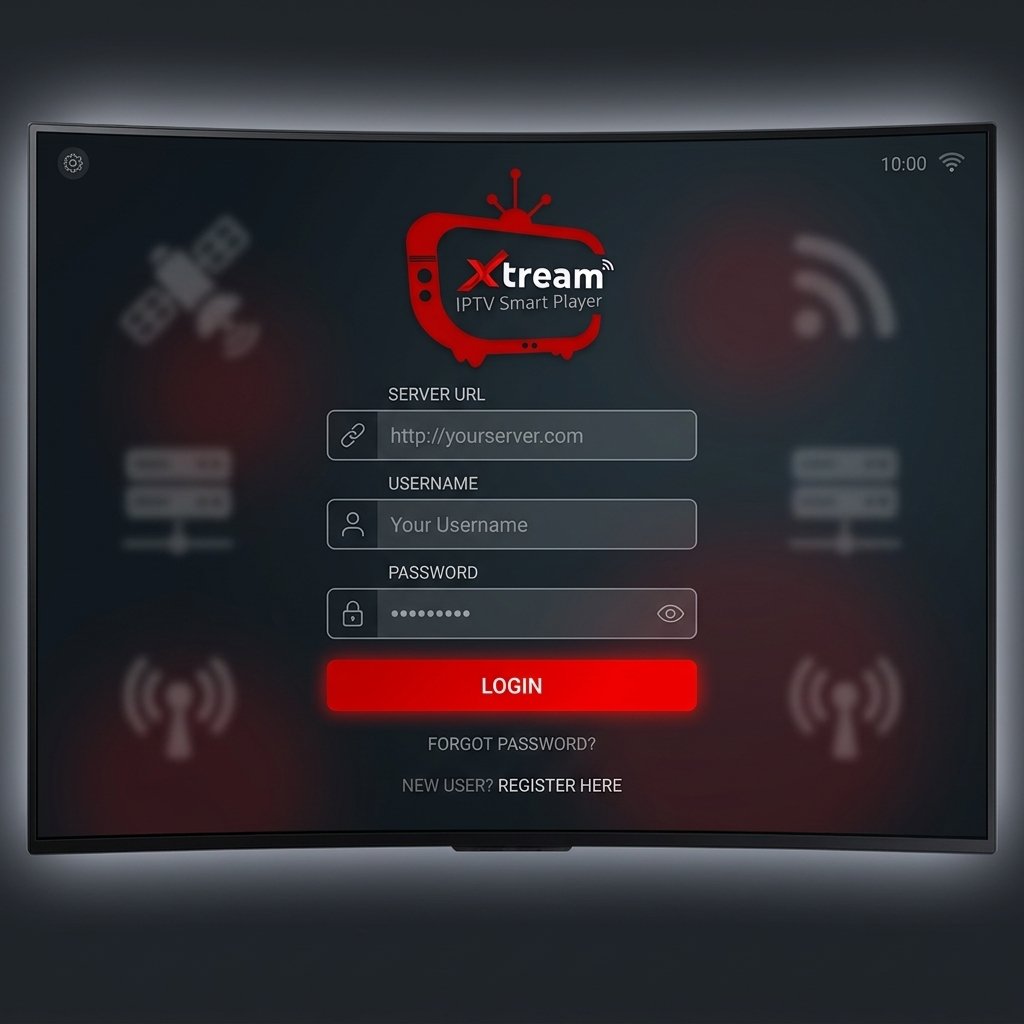
Once the application is installed, you need to connect it to your IPTV provider. The Xtream Codes API method is the absolute best way to do this.
- Open the Xtream IPTV Player application.
- Select the option that says Login with Xtream Codes API (do not select the M3U option unless your provider explicitly forces you to).
- Any Name: Enter a nickname for your playlist (e.g., “Main TV”).
- Username: Enter the username provided in your welcome email from your IPTV service.
- Password: Enter your IPTV password.
- URL: Enter the portal or server URL provided by your service (it usually looks like http://example.com:8080).
- Click Add User or Login.
- The app will briefly say “Downloading Channels, Movies, and Series.” Depending on the size of your provider’s library, this may take a minute.
- Once finished, you will be taken to the main dashboard, ready to stream.
Conclusion
For users entrenched in the Android ecosystem who want a highly capable, visually appealing media player without paying activation fees, Xtream IPTV Player is a phenomenal choice. Its native synergy with the Xtream Codes API makes loading massive playlists incredibly fast and efficient. While it lacks native apps for Samsung Tizen or LG webOS, its performance on Firesticks and Android TV boxes makes it an essential tool for any cord-cutter in 2026.
Frequently Asked Questions (FAQ)
Is Xtream IPTV Player legal?
Yes, the application itself is 100% legal. It is a standard media player like VLC. However, streaming copyrighted content without permission using third-party IPTV subscriptions is illegal. You are responsible for ensuring the service you connect to holds the proper broadcasting rights.
Does Xtream IPTV Player work on Roku?
No. Roku utilizes a closed, proprietary operating system that actively blocks third-party IPTV players. Xtream IPTV Player cannot be installed or sideloaded onto a Roku device.
Why is my EPG (TV Guide) empty on Xtream IPTV?
If your TV guide is blank, first try forcing an EPG update in the app’s settings. If it remains empty, your IPTV provider may be experiencing server issues, or they have not linked the XMLTV data correctly to your account.
Can I cast from Xtream IPTV Player to my Chromecast?
Many versions of the Xtream IPTV Player support Chromecast functionality directly from Android smartphones. Look for the standard ‘Cast’ icon in the top right corner of the video player while a stream is active.
Ready to Upgrade Your Streaming?
Stop missing your favorite live events and VODs. Get instant, anti-freeze access to Neo IPTV UK's premium library right now.